
FS Particle Studio 2 Overview
A particle studio program to make .shader vfx for idTech3 games. Made by Jonathan 'NulL' Norton for Urban Terror, however works on Quake 3 and all other Quake 3 mods.
FS Particle Studio 2 Download
Github link
There are 5 tabs along the bottom: File, Dynamics 1, Dynamics 2, Blending, TcMod & Export.
Note: Right click on a slider to type in an exact value.
FILE TAB
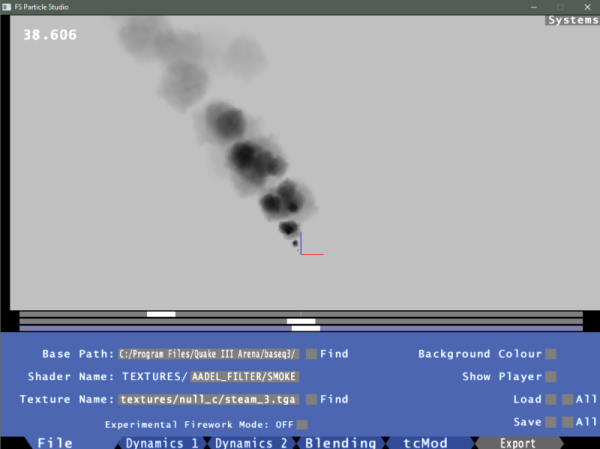
Base Path:
Set this to your baseq3 folder, ie D:\games\quake3\baseq3. If you use the find button, select any file in your basepath.
Shader Name:
This will be the name of the shader when its exported. It must contain a path name and a shader name separated by a '/', ie 'test/name'. NOTE: If your using a foreign keyboard and cannot find '/' use space instead.
Texture Name:
The name of your texture relative to baseq3/, ie 'textures/common/caulk'.
Experimental Firework Mode:
See Section at bottom of this guide.
DYNAMICS 1 TAB

# Particles:
The Number of particles in your system.
Z Waveform:
The wave form that controls motion on the z axis(up/down). Sine is good for fountains, sawtooth is good for smoke effects.
Height:
The height particles will rise to, in game units.
Natural:
When creating fountain effects it sets the height to match the frequency, so that the particles accelerate approximately at 9.81ms-2.
Var:
The variation of height in game units.
Base Var:
Variation along the Z axis of the particle's emitter.
Frequency:
The number of cycles per second.
Natural:
As above.
Phase Grouping:
Controls the 'spurtyness' of the effect. 1 is continuous flow, below 1 creates spurts, above 1 creates inverted spurts. A value like 0.1 - 0.2 is quite nice.
Master Phase:
The master phase of the whole system, most of the time you wont need to use this.
Size:
Particle size, this is just for use in the studio. The actual size in game will be the size you create your brush in radiant.
DYNAMICS 2 TAB
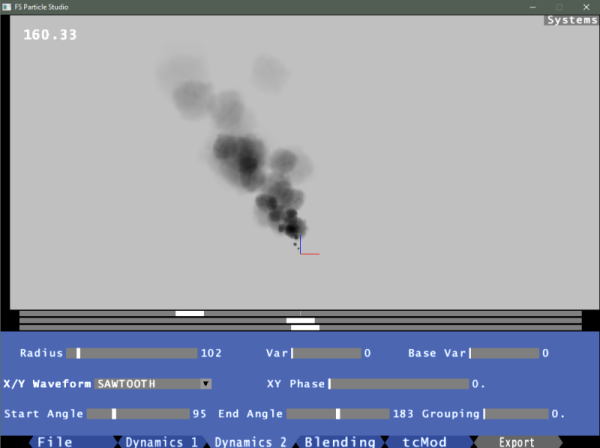
Radius:
The distance a particle will move away from the emitter in the x/y plane.
Var:
The variation in radius, in game units.
Base Var:
Random variation along the x/y plane of the particle's emitter.
XY Waveform:
The wave function of motion in the x/y plane.
XY Phase:
Additional phase added to the xy waveform.
Start & End Angles:
Angle constraints for x/y motion.
Grouping:
Pulls the particles towards the centre angle. Doesn't work as well as I hoped.
BLENDING TAB
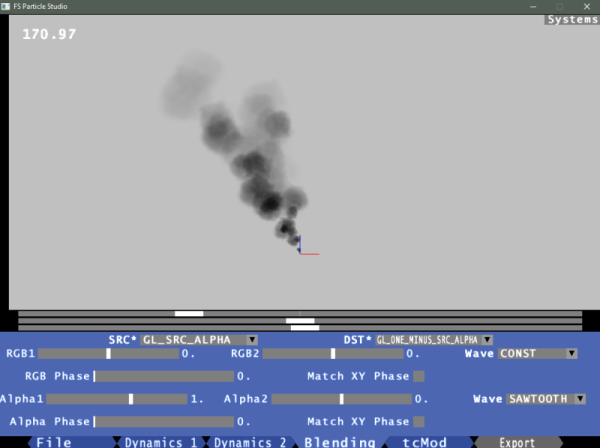
SRC *:
Source blend option.
DST *:
Destination blend option.
RGB1 & RGB2:
For sawtooth, square and inverse sawtooth waves, these set the initial and final vertex rgb values. For sine and triangle waves, these set the base and amplitude of the wave function respectively.
Wave:
Waveform option.
Phase:
Phase for the rgbgen waveform.
Alphagen controls are the same.
TcMod TAB
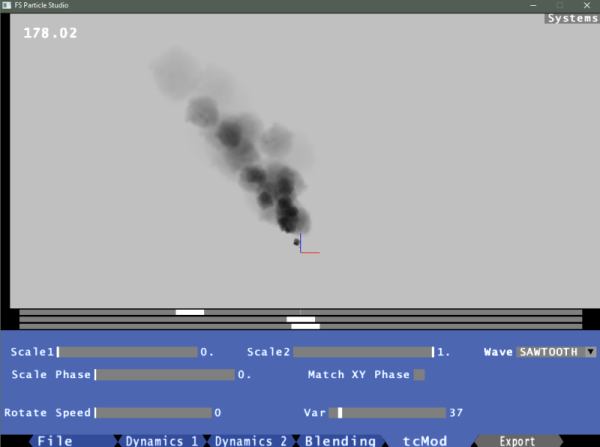
Scale1 & 2:
For sawtooth, square and inverse sawtooth waves, these set the initial and final tcMod stretch values. For sine and triangle waves, these set the base and amplitude of the wave function respectively.
Wave:
Waveform option. Sawtooth or disabled are probably the only options you will need.
Phase:
Phase for the TcMod stretch waveform.
Rotate Speed:
The speed at which the texture rotates. degrees/second
Var:
The variance in rotation speed.
SYSTEMS TAB
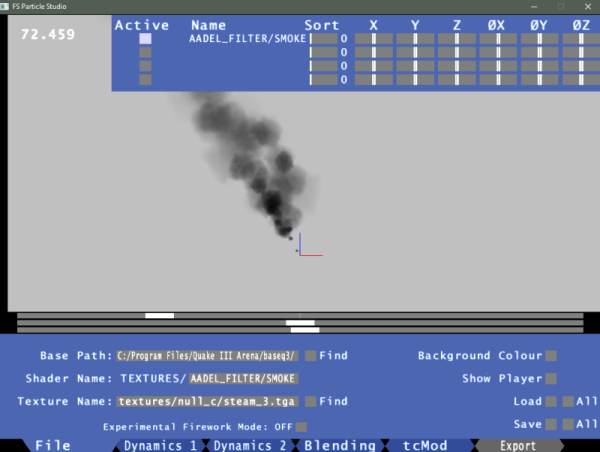
Active:
The active buttons activate, select and disable particle systems. To enable a system click on a grey button; this system will now become your active edit. To disable a system, select the system then click the active button again.
Name:
The name of the particle systems.
Sort:
The q3 render sort order of the system. The default setting of 0 doesn't set a sort order in the shader.
XYZ:
The X/Y/Z sliders move the particle emitter around the scene. The sliders go between ± 512, but you can specify a larger value by right clicking the slider.