
Dropping weapons in maps for Urban Terror
Have you ever wanted to place items and/or weapons in your maps for Urban Terror? Now you can!Early June 2009 "negoziatore" posted on the forums saying he made a silencer drop onto the ground in his map by replacing an entities classname to ut_item_silencer and the gametype to 037.
With this I began making my own .def file and gathering the names of other game entities like kevelar, medkit, lr300 etc. and looked through the quake3 entities.def and seeing what keys I could use. Making multiple test maps and other things, It didn't take me long to find out that you can suspend an item/weapon or set the game type and compile.
There it was, a nice project for some mappers to begin with. Allthough I hated the idea of silly 'fun' maps with this stuff being around and arena maps throwing this stuff in, I thought about how much fun other people would have so I kept trying to see how far I could push this.
The various keys you can set with items/weapons are;
count: sets the amount of ammo given to the player when picked up (default 0).
gametype: Specifies gametypes for the weapon to be in in. If this key is not used, the weapon will be in all gametypes. List types in this format: 01234
wait: time in seconds before item respawns after being picked up (default 40, -1 = never respawn).
random: random time variance in seconds added or subtracted from "wait" delay
angle: direction in which model will be oriented.
angles: Individual control of PITCH, YAW, and ROLL (default 0 0 0).
spawnflags: set to 1 to make suspended so the item will spawn where it was placed in map and won't drop to the floor. (default 0)
target: this points to the entity to activate.
targetname: activating trigger points to this.
You can download the .def file Here so you can begin.
Put into your ../scripts/ folder for Radiant and restart the program.
This is a very neat trick and some people from the compunity came up with some great ideas.
You can make a button give you ammo/weapon/item simply like this;
1. build a func_button (or trigger), point it to a target_give.
2. From the target_give point to the entities you want to give (Extra ammo, medkit, sr8...)
Like so,
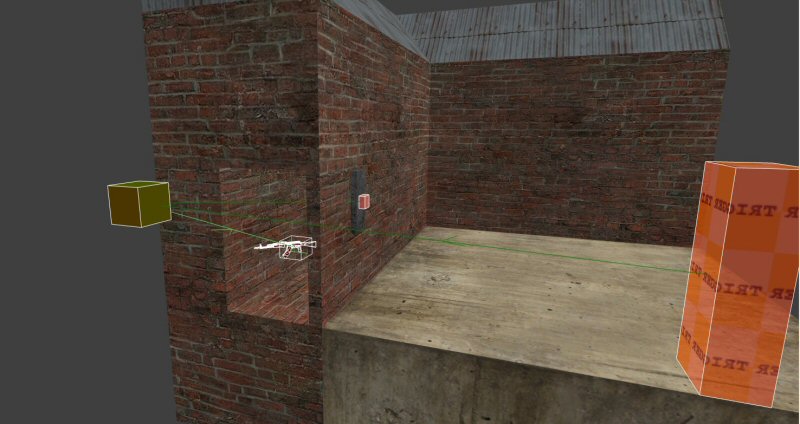
3. compile and press the button.
You can also just place them like this in your map
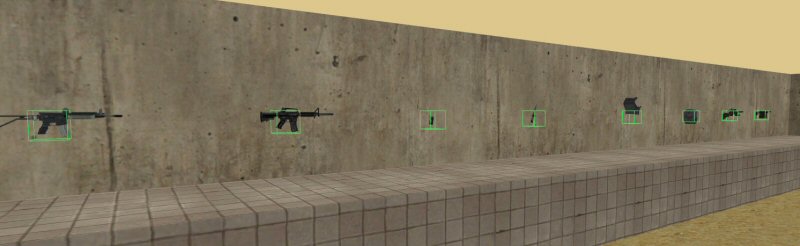
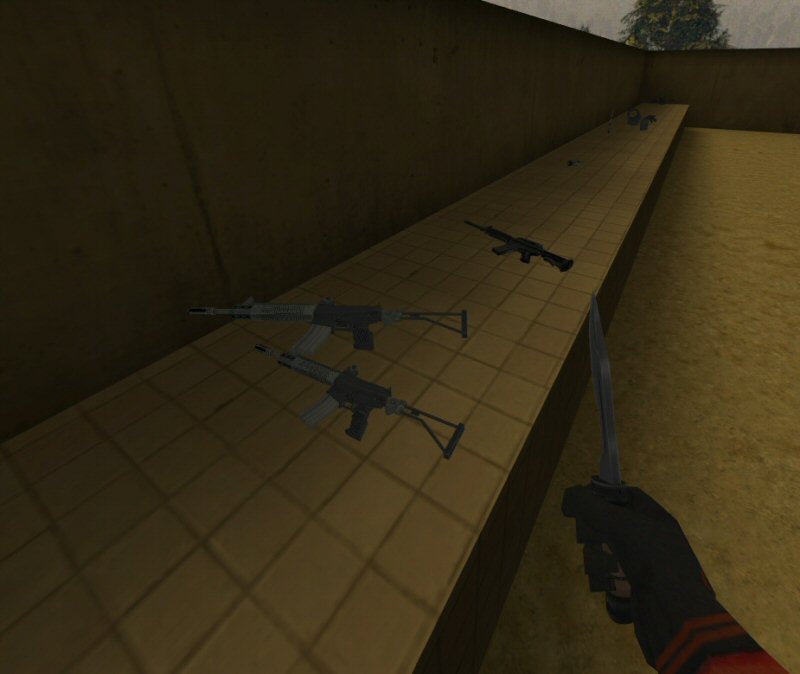
Make some of them suspendable (Press the tick box or spawnflags 1) and you will get this outcome.
The count key was very hard to get the hang of, infact I was confused by it.
I managed to find out that
30 = 30 Bullets, 0 Clips
500 = 30 Bullets, 1 Clip
1000 = 30 Bullets, 2 Clips
We later found out that the value of count set the same time the clip amount and the ammo amount, So one part of the value is reserved for the ammo and the other one for the clips. Converting them into Binary came up with this solution.
However, If you don't like maths you can use this calculator down here to do it for you
This tool allows you to compute the value of the count key of ut_weapon_* entities by entering a clip count and a bullet count.
The maximum clip count and bullet count is 255 though it seems to be limited by the game.